
AD | PR Product
Over the last 18 months I have made no secret of the fact I had concerns the Freestyle Libre was making my control over my blood sugars worse. A mixture of inaccuracies within the system and complacency on my part meant I was considering stopping using it completely and returning to finger pricks. I won a giveaway on Instagram last November and was given a MiaoMiao 1 to use with my Libre. I loved the idea of it, but if I’m perfectly honest I just couldn’t get on with it. The system just did not work at the time and I quickly moved on to use the Bubble Libre converter to give me alarms instead.
Last month MiaoMiao asked me if I would consider trialling their newer device, the MiaoMiao 2, and giving my honest opinion. I would be lying if I said I didn’t go in to this with a decent amount of skepticism after my previous experience, but as always I was willing to give it a try.
Table of Contents
What Is The MiaoMiao 2 CGM?
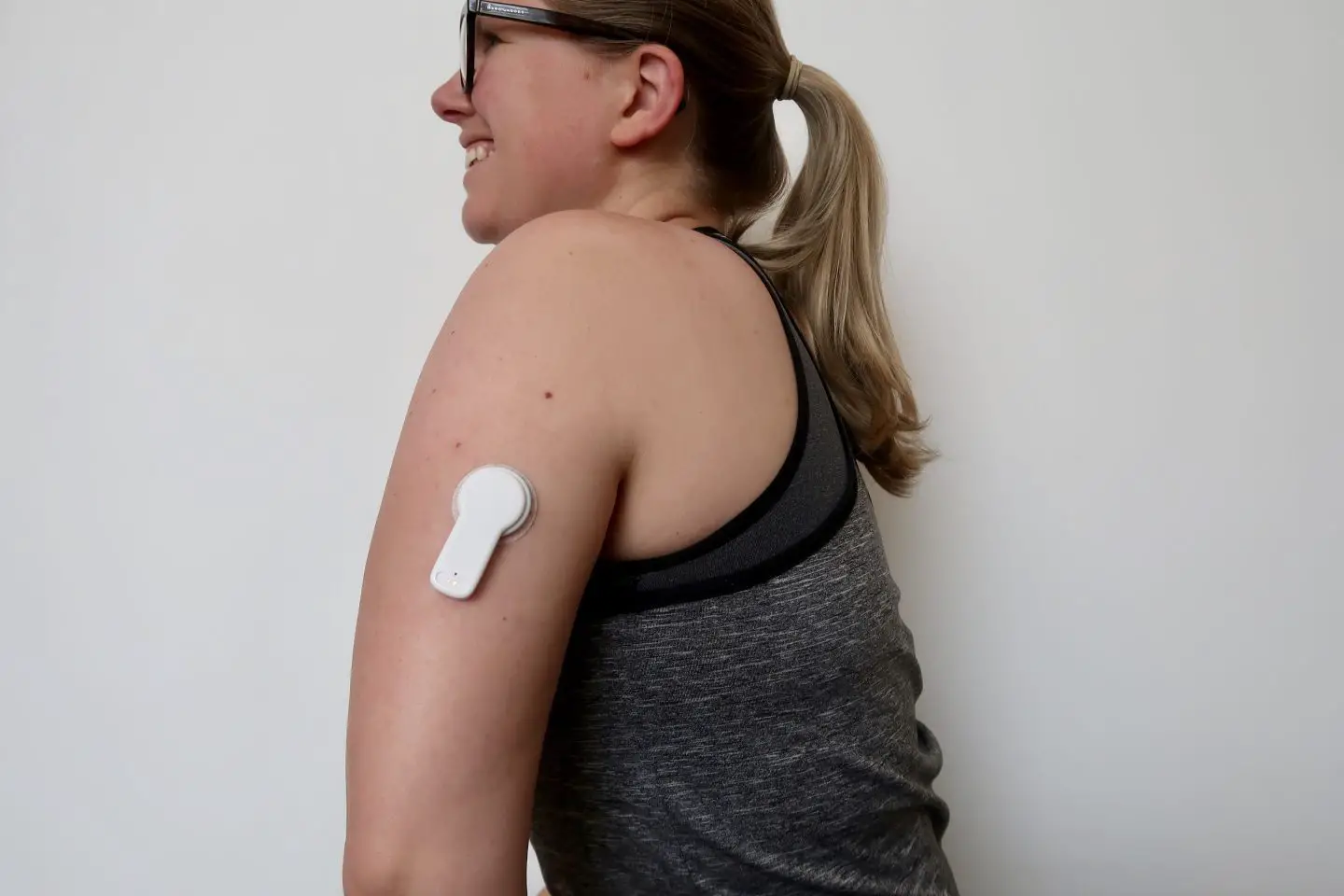
In very simple terms, the MiaoMiao 2 is a device that you attach to your Freestyle Libre flash glucose monitor that will then give you alarms in the same way a traditional continuous glucose monitor does. It essentially converts the Libre into a CGM and sends the data directly to your phone (or watch) with alarms for when your blood sugar is high or low.
Related Post: Are Diabetes Complications Inevitable?
The app allows you to customise your target range, at what stage it should considering your blood glucose levels out of range and even snooze the alarms when they get a bit much. You can also set up followers, so if you are a parent of a child with diabetes you can view their graphs on your phone too for peace of mind when they’re at school or with friends.
The MiaoMiao is designed to last for years, with a 1 year guarantee. You don’t need a new one for each Libre sensor, you just peel it off and place it on to the next one. It is compatible with the Libre 1, Libre 1-10 day, Libre 2 and Libre-pro/H sensors.
What Do You Get In The Box?
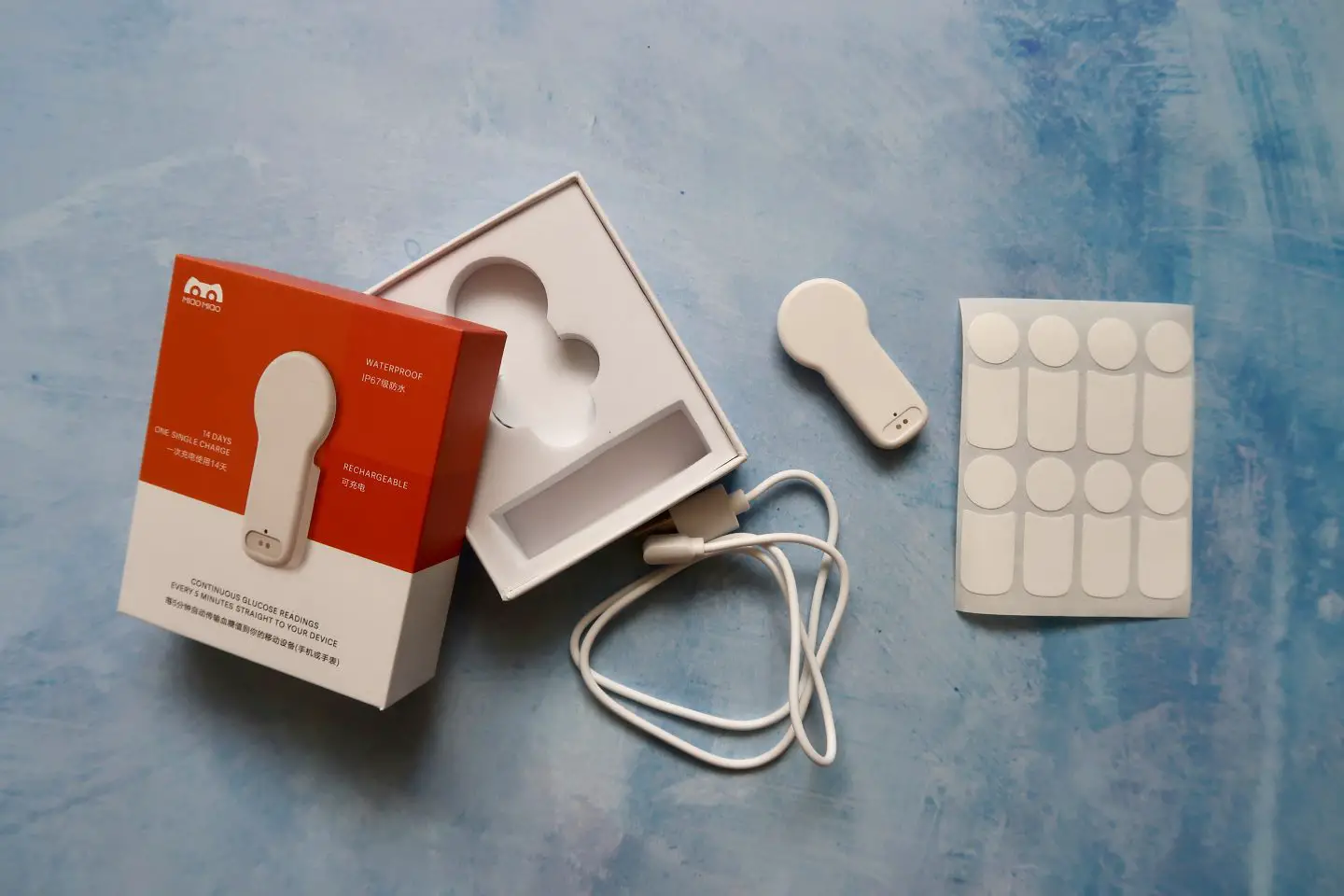
The MiaoMiao 2 comes in a very small box. Inside you will find:
- MiaoMiao 2 device
- Charging cable
- 20 adhesive stickers
Related Post: Connecting The Libre 2 To A Smart Watch
MiaoMiao 2 Set-Up
As there were no instructions with the MiaoMiao I imagine most people would be a bit stumped at first. You can access the official instructions online here, but it is actually very simple when you know how. As I have used 2 similar devices before I was confident that I knew what to do.
Using a pin (the device for getting a sim card out of an iPhone is perfect for this) you press the small reset button on the MiaoMiao. You then place it on charge. There is a light that flashes blue when it is charging and changes to green when fully charged.
Once you have charged it you place it on the sensor using the adhesive and then use the app to link it. You will then start getting readings pretty much immediately.
MiaoMiao 2 Tomato App
There are a couple of apps that you can use with the MiaoMiao, however I have only ever used the Tomato app. My main reason for stopping using the MiaoMiao 1 last year was inconsistencies with the app, as it continually lost connection which rendered my alarms pointless. This time around it has been a completely different story.
I really liked the usability of the Tomato app, so instead of jumping straight in to using xDrip+ for iOS like I did with the Bubble I decided to give Tomato one more try. It has been nearly 3 weeks since I connected my MM2 and in that time I can’t recall a single time that it lost connection. Not once. Tomato’s reliability is now so much better than it was before, and I really appreciate the work the team have done to make sure they are delivering the best product.

Within Tomato you can calibrate the readings. This is the thing that makes the MiaoMiao 2 truly invaluable to me, as I find the readings on the Libre very innaccurate. The trend line is the same, but the actually readings are 2-3 mmol/l below what I finger prick shows. I do a finger prick every night and calibrate the app, and I have found that after the 2nd day of a sensor the finger prick is usually very close to the reading Tomato is giving.
Using the app you can also set readings to show on your smart watch. For some reason I am not able to do this using the Tomato app, but I know many who are. It shows me out of date readings from last year, and so instead I have it set up as an event in my calendar. I would love it to work “properly”, but actually the way I am doing it works just fine.
There is also a premium plan for Tomato which gives you access to advanced insights, however I have not had access to it and at the price of $25 annually I don’t really feel it is necessary.
Alarms
Within Tomato you can customise you alarms. You can choose to have a sound or just a vibrate, which if you’re working in an office or are somewhere quiet like the theatre could be really useful. You can then choose to have any of the following alarms switched on:
- Above 13.9 mmol/L
- Above high target
- Below low target
- Below 3.9 mmol/L
- Fast rise
- Fast drop
- MM disconnected
- Cannot read sensor
- Expired
- Sensor failure
- Battery low
You can also snooze the alarms for either 15 minutes, 30 minutes, 1 hour or 2 hours. I often snooze an alarm once I’ve dealt with a hypo or high to give it time to sort out without an alarm every 5 minutes.
If there was one thing I wish I could do with the alarms it is change the alarm sounds. Being able to distinguish between a blood glucose reading that is above target or one that is above 13.9 mmol/L without having to look at my phone or watch would be really useful with the kids around. It would mean I could choose the urgency at which to take action.
Using The MiaoMiao 2 Daily
Battery Life
I’ll admit I had some concerns about the MiaoMiao 2 battery life before I tried it. I had read about people charging every couple of days, and I just couldn’t see how that would be practical. However, I have not found it a problem at all.
With my first Libre sensor I changed phones around a week after attaching the MiaoMiao and so had to rebind it. I took that time to charge the MM – but really it didn’t actually need it yet. I still had 10% of battery life left I changed sensors at the end of the 14 days which I didn’t think was bad at all.
I currently have the MM2 attached to my next Libre sensor. It has been on for 3 days and still has 100% of the battery. I am curious to see how far I can get with this one.

Related Post: Type 1 Diabetes Books You Will Want To Read
Adhesive
I have always struggled with contact dermatitis and over the last year my list of allergens has expanded to include more the the substances included in adhesives. I am SO glad to say that I do not react to the MiaoMiao CGM adhesive.
The MiaoMiao 2 stays stuck for the full 14 days with no problem. Unlike the MM1, the MM2 covers the whole Libre which really helps it to stay stuck down fully. Pulling clothes on and off, kids climbing on top of me and 3 or 4 workouts a week – it stayed stuck through it all.
The only situation I haven’t fully tested it in is water. I have showered with no problems but due to the current restrictions I haven’t got it in to the pool yet to see how the adhesive is after an extended period in water.
Related Post: Should I Be Taking Regular Breaks From The Libre?
Does It Get In The Way?
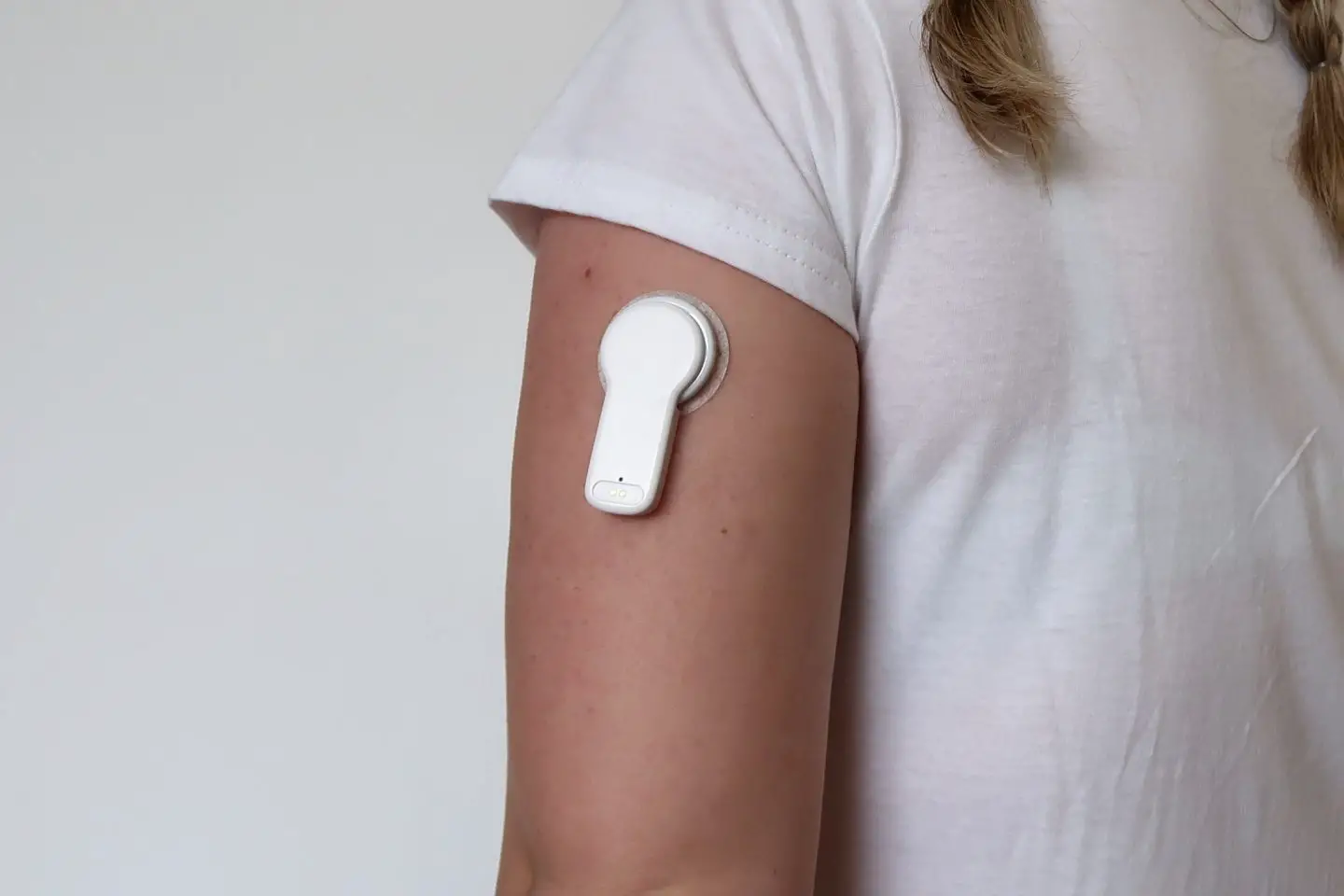
Having things stuck to me is the norm these days. Between the Libre and my insulin pump I am no stranger to diabetes tech, and if you are considering buying a MiaoMiao then you are probably the same. That said – looking at pictures of the MiaoMiao on people you can’t help but think it looks a bit bulky.
The MM2 doesn’t stick protrude out from your arm more than a few millimetres more than your Libre does. It comes down the arm further, but it doesn’t get in the way and honestly I don’t notice it any more than I do my Libre.

Related Post: Why I Won’t Read Articles About Diabetes
Does The MiaoMiao Reduce hbA1c?
Now that is a bit of a loaded question, and I’ve no doubt that it could spark quite a bit of debate. I am aware that we are all different in how our bodies react, but for me I would full credit MiaoMiao with a drop in my hbA1c.
With the current restrictions in place I haven’t had any blood tests recently, but at my previous test after starting to use the Libre again but before converting it to a CGM my hbA1c had gone up. It was still within my clinics targets, but at the top end and not at a place I was happy with. The ability to calibrate the MiaoMiao has made a huge difference and it means I am correcting my blood sugars when they are just out of target rather than waiting until they are quite high.
It’s not a perfect solution by any stretch, and at around £135 GBP it is not a cheap solution either. But to me it is worth every penny.
MiaoMiao Discount Code
If you would like $10 off the price of your MiaoMiao then click here to get my discount code. I receive a small commission on your order.
I was sent a MiaoMiao 2 CGM in order to carry out this review. All words and opinions are my own.
What Next?
Why not join our Facebook Group which is hub for women with all different types of diabetes. It is a safe place to ask questions, share knowledge and be open about how you are coping with life with diabetes.
Hi Kim,
I ran with MiaoMiao 1 for 2 years using the Xdrip+ app. Most people who have used Tomato and Xdrip+ rate the latter above the former so it is good if the MM people have upped their game and improved Tomato.
However if you want to have different alarms sounds this is easily achieved with Xdrip+.
I have been using the Bubble with xDrip+ for iOS for the last 3 months and while I did like it, I prefer the user interface on Tomato. Just personal preference 🙂
Just Curious between the MM2 and the Bubble which do prefer and why? How long did it take you to receive the items once they had shipped them out?
At this point in time I prefer the MM2 and that’s what I’m continuing to use. The main reason is how it connects to the libre as the Bubble tended to get caught more, and I am allergic to the Bubble adhesive. As for delivery times, Bubble was a few days and MM2 was a week or 2.
The bubble got caught on pieces of clothing etc….more? is that what you meant? How about in terms of the apps that are available by both of the companies? Tomato(mm2) vs Diabox, xdrip+ (Bubble) were you able to calibrate on both of the different platforms? Did one app lose signal more than another? Do you know how many charging cycles you can get on these before you have to replace them? Thanks and sorry for so many questions?
Yes the Bubble caught on clothing, bag straps etc more. With Bubble I only had to charge every 14 days but with MM2 I have to charge roughly every 10 days – so once during the lifetime of each Libre sensor.
Hi! How long does MM2 charge? Could you charge it while on your arm (f.e., while you are sitting in the range of the charging cable – or maybe connected to a charging bank… ), since the connectors are visible on the top of the device and you wrote, that you need to charge it every 10 days (but sensor lasts for 14). Thank you.
Yes I charge mine using a power pack in my pocket. it doesn’t like it if you move around too much so I usually do it while sitting down
Und jetzt das ganze auf deutsch? Gerne auch peail… Lg
Using Libre 1 I am struggling with night time readings and even with setting alarms so that I can check readings in the night, I often find I am going above 10 or below 4, so my time in range suffers.
Miao Miao 2 sounds like the answer, but I cannot find answers to simple questions;
1 Can the application alarm be set to whatever you want it to be ie 9 if it is going upwards, or 5 if readings are going downwards in order to give you time to take correction action before readings go above 10 or below 4 – all in an effort to stay within range (4 – 10).
2 As I cannot find a UK seller of Miao Miao 2, as I will have to buy from an EU, or US seller, is the charger compatible with UK power/electricity?
3 As I use the Libre 1 reader to upload my data to Abbott/Diabetes clinic, will the reader still work with the Miao Miao 2 attached to the sensor?
Thank you.
Rob
Hi! I’ve got the answers for you here:
1 – yes you can set the high and low alarms to whatever level you like. Totally personal preference to what you want them to be.
2 – The charger doesn’t come with a plug, it just has a cable with a usb end so you use a plug you already have at home
3 – yes you still need to scan your libre every 8 hours with your existing reader, and that way you have all the data saved on there
I hope that helps!
ben G6 kullanıyorum onun süresi 10 gün 30 güne kadar uzatabiliyorum 3 ay da bir de transmiter alınıyor normalinde 3 aylık maliyet 3700TL Kullanımı ve veri doğruluğu iyi fiyatı yüksek bana Bu M2 Den alsam nasıl olur hem veri hem de fiyat süre
Mehmet
Hi, many thanks for that, extremely helpful.
I’ll place my order now!
Thanks again.
Rob
Hi, have received my MiaoMiao2 today and all up and running okay.
I have an inexpensive smart watch paired to my i phone but it won’t recognise applications running on my phone – Tomato included of course.
Apologies for asking but are you aware of any smart watches that are compatible with i phones/applications as it would be ideal if I could have my readings sent to a watch, and i phone watches are not cheap!
Thank you.
Rob
Hi. Sorry I’m afraid I have an Apple Watch so that is all I have experience with
Hi thank you, from what I’ve seen and heard elsewhere, and as you have confirmed, it would seem I need to purchase an Apple Watch.
Many thanks.
Rob Hefford
Hi, I’m using the Tomato app with the MiaoMiao2, and am impressed across the board with one caveat, it’s destroying my phone’s battery by using some 40%+ of its daily life, which seems absurd given the tiny amount of data being transferred. Did you by chance run into this at all? Thanks!
-Scott
Yes unfortunately I found the same. I did upgrade my phone this summer and it made a huge difference – but that’s not really a practical option for most people!
My maiomaio 1 device has great connection and will never ever send me an alarm while I’m asleep, so my range should be 4-7mmol, I have an alarm set to trigger the second it hits 8mmol and during the day when I’m up and about it works, but at night it’s silent the whole night so last night I went to bed a little low and fell asleep woke up 8 hours later and it had risen to 19 and stayed there all night long with not one alarm, my do not disturb is turned off. Any ideas why the Tomato App is killing me when I rest? By killing me I mean it never ever ever ever works at night.
If you have your phone set to silent then it won’t make an audible alarm, just a vibrate. Could that be the issue?
Hi thanks for your tech reviews, they are very helpful. The vibrate function is important for my son as he doesn’t like the intrusiveness of auditory alarms when he is at school and with friends. Does the Bubble also have a vibrate function? If so, which vibrate is more aggressive (I am wondering if either would be aggressive enough to wake up a 12 y/o boy?!). Many thanks again.
Personally – I often sleep thought the alarms when they are on vibrate so it would really depend on how deep a sleeper he is. I try to remember to change them to have an audible alarm before going to bed, but favour vibrate only during the day
I’ve just been switched to the Libre 2 sensors and my MM2 and Tomato app are not working with this new Libre 2 sensor. Can anyone help or advise. I’ve checked all updates, re binded, calibrated etc and they are just not talking to each other. Any help will be gratefully received.
Does the libre still send the data back to the libre app? As this is what clinic can access and make assessments from for my daughter. This would be great if it does so could run tomato and libre at same time